Proofing 2.0: SmartAlbums Proofing, Rebuilt From the Ground Up
By: Kelvin Mbugua
We rebuilt proofing from scratch. Your clients can now review and approve an album on their phone, tablet, or computer. And the thing you've asked us for most is here: they can proof the cover too.
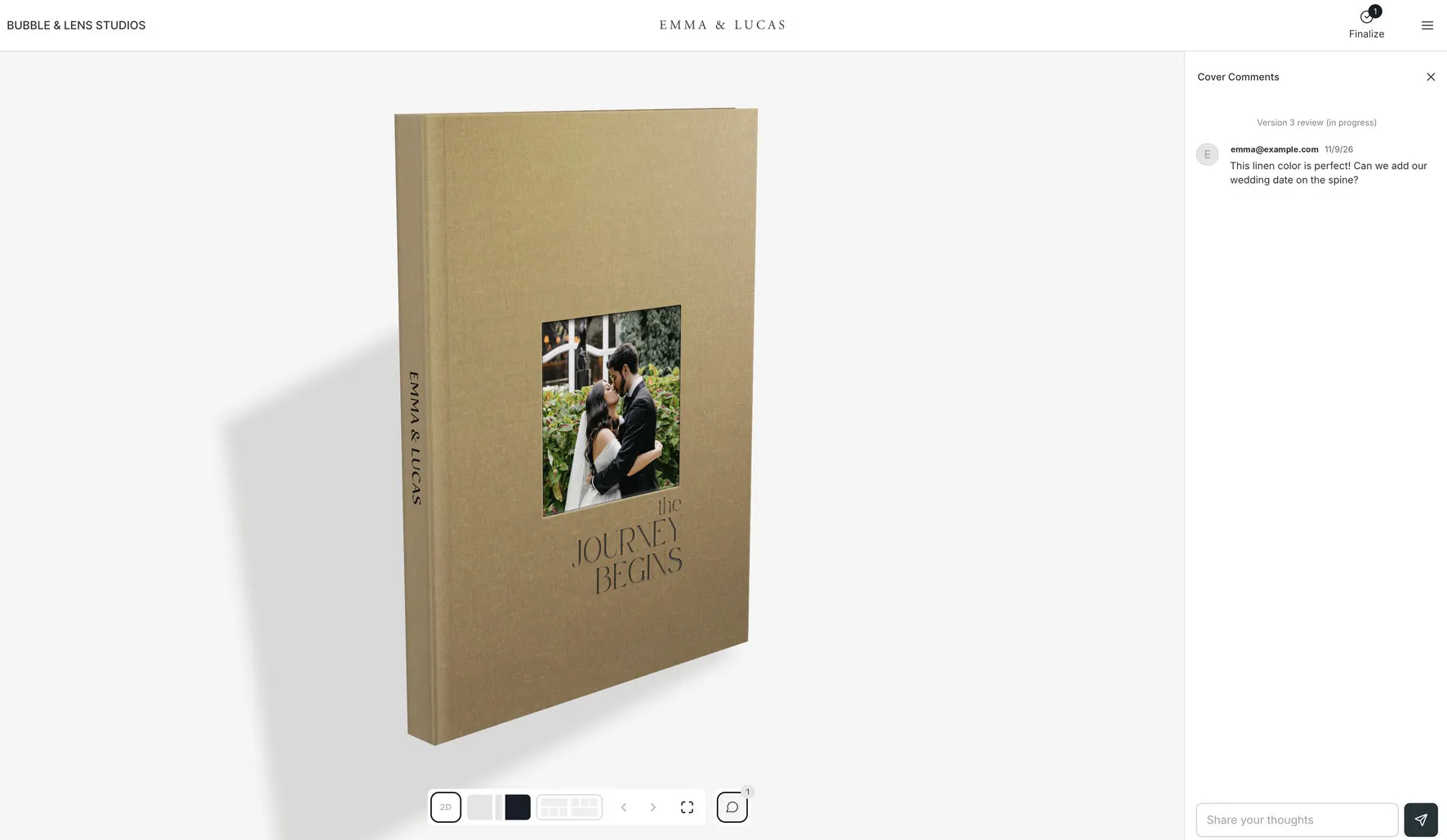
SmartAlbums Proofing is available now to all SmartAlbums users, in beta. Update SmartAlbums and it's there.
Here's what's new, what it costs, and what happens to the albums you already have in Cloud Proofing.
Why did we rebuild proofing?
Cloud Proofing did its job for years. But we wanted proofing that feels as good on a phone as on a computer, and lets clients see the cover before it prints. That meant starting over, not patching.
There's a money side to this, too. The proof is where the album sells. When a couple sees their own spreads and their real cover on their phone, they don't need a pitch. Clients upgrade when they can see the difference.
What does beta mean?
You can use SmartAlbums Proofing with real clients today. We're still adding to it, and your feedback decides what comes next. Tell us what you'd add at support@smartalbums.com.
What's new in SmartAlbums Proofing?
It works on any device
Clients flip through every spread on a computer, tablet, or phone, and open any spread full screen.
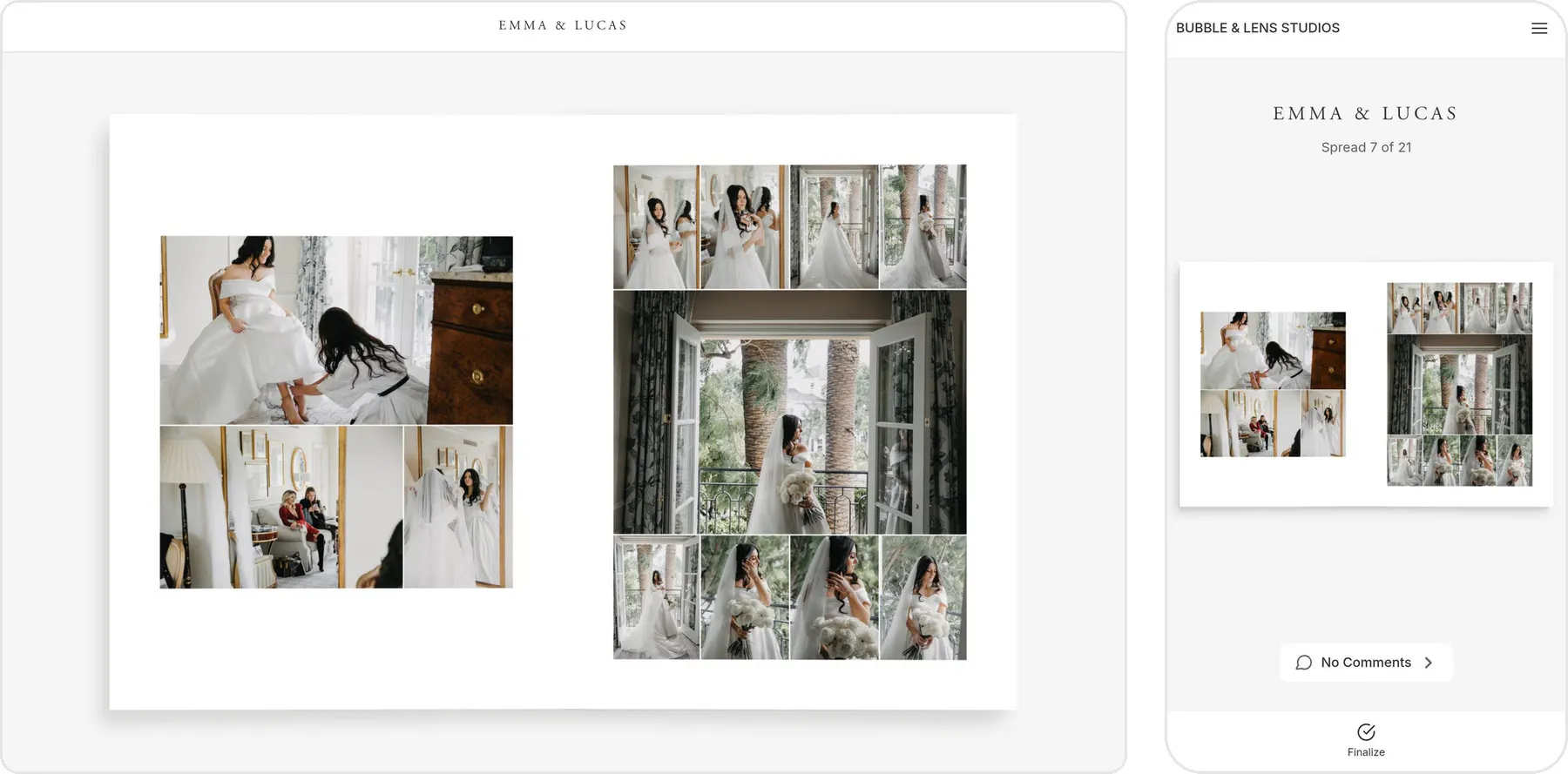
Proof the cover
Clients see the cover in 3D, material and spine included, and comment on it before it prints. Cover proofing works with integrated labs, and more labs are coming.

What doesn't change
Most of what you use in Cloud Proofing works the same way, on new screens.
Send a proof in a few clicks
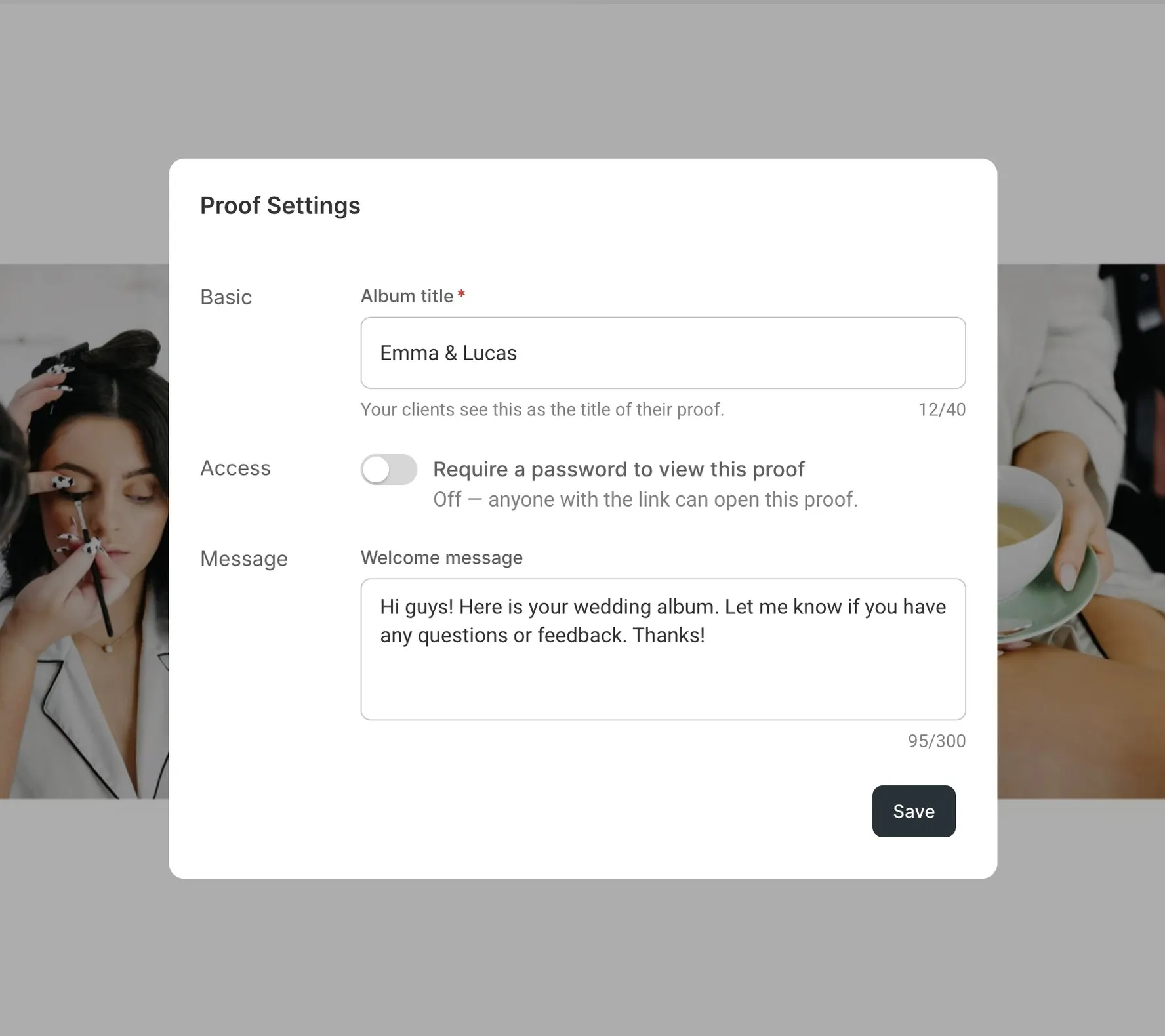
Give the proof a name, add a password if you want one, and write a short welcome note. Then send one link. That same link covers every revision, so your client always sees the latest version. Every proof you send shows up in the My Proofs dashboard, so you can see where each one stands at a glance.
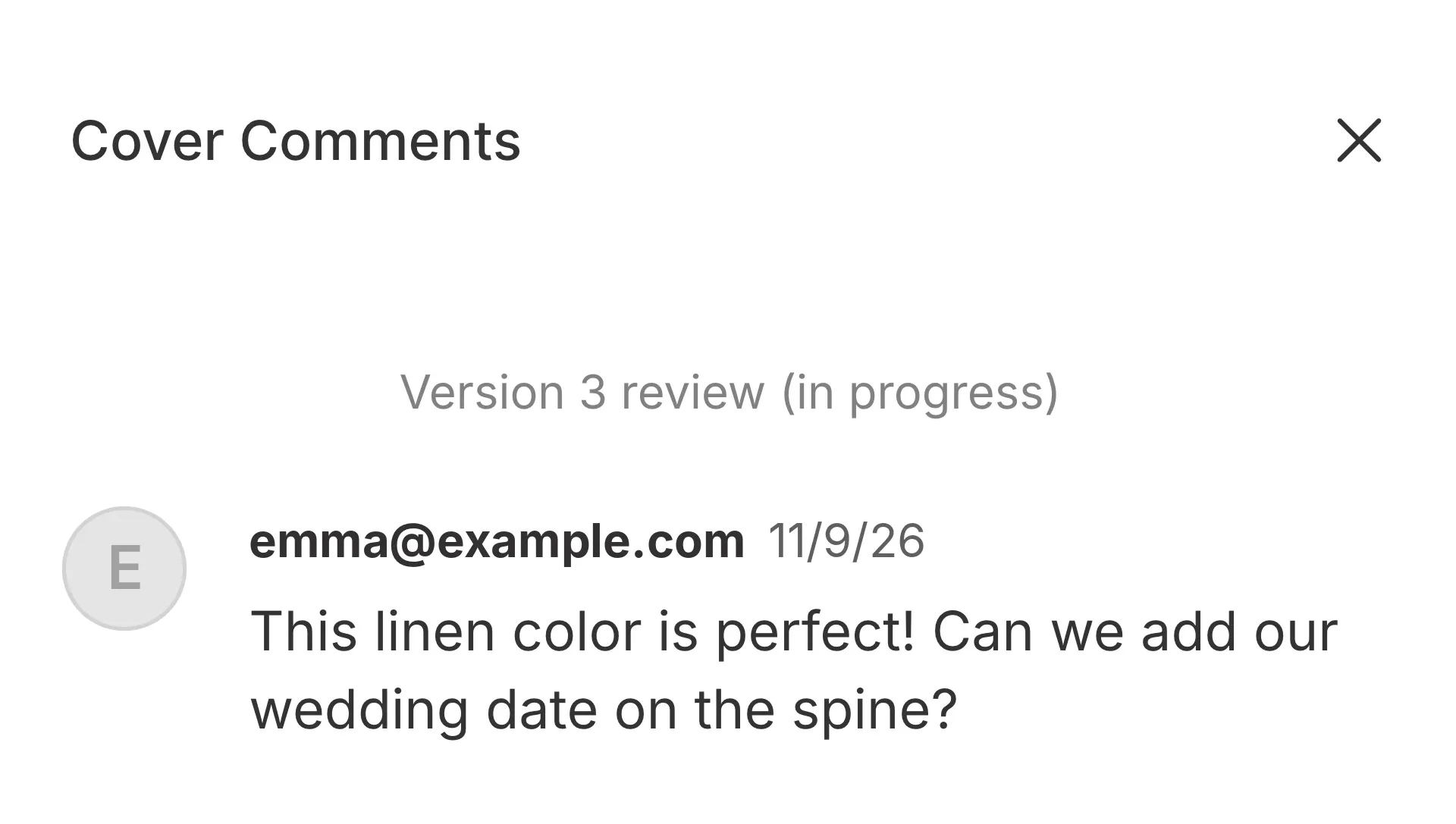
Comments on every spread
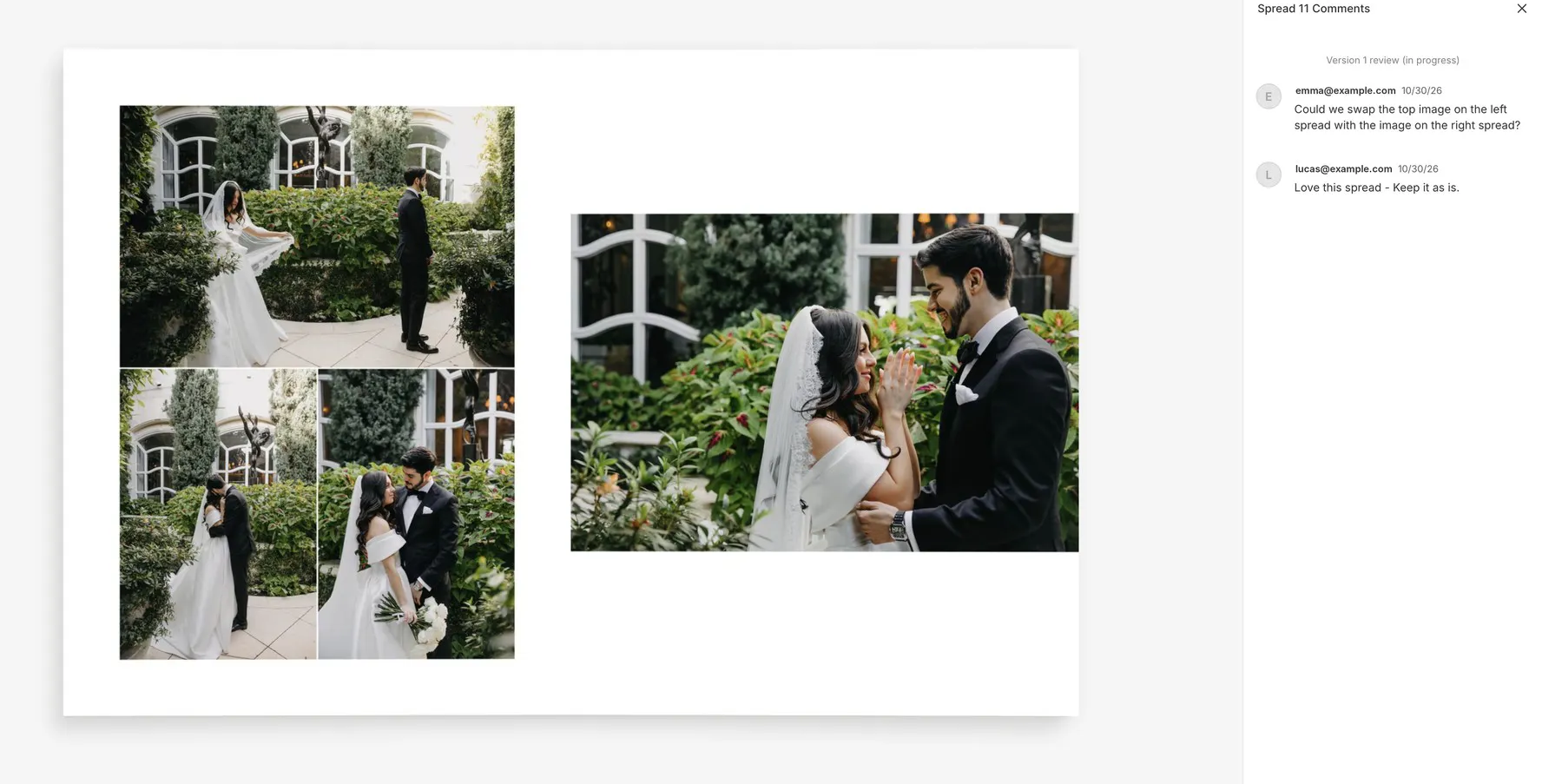
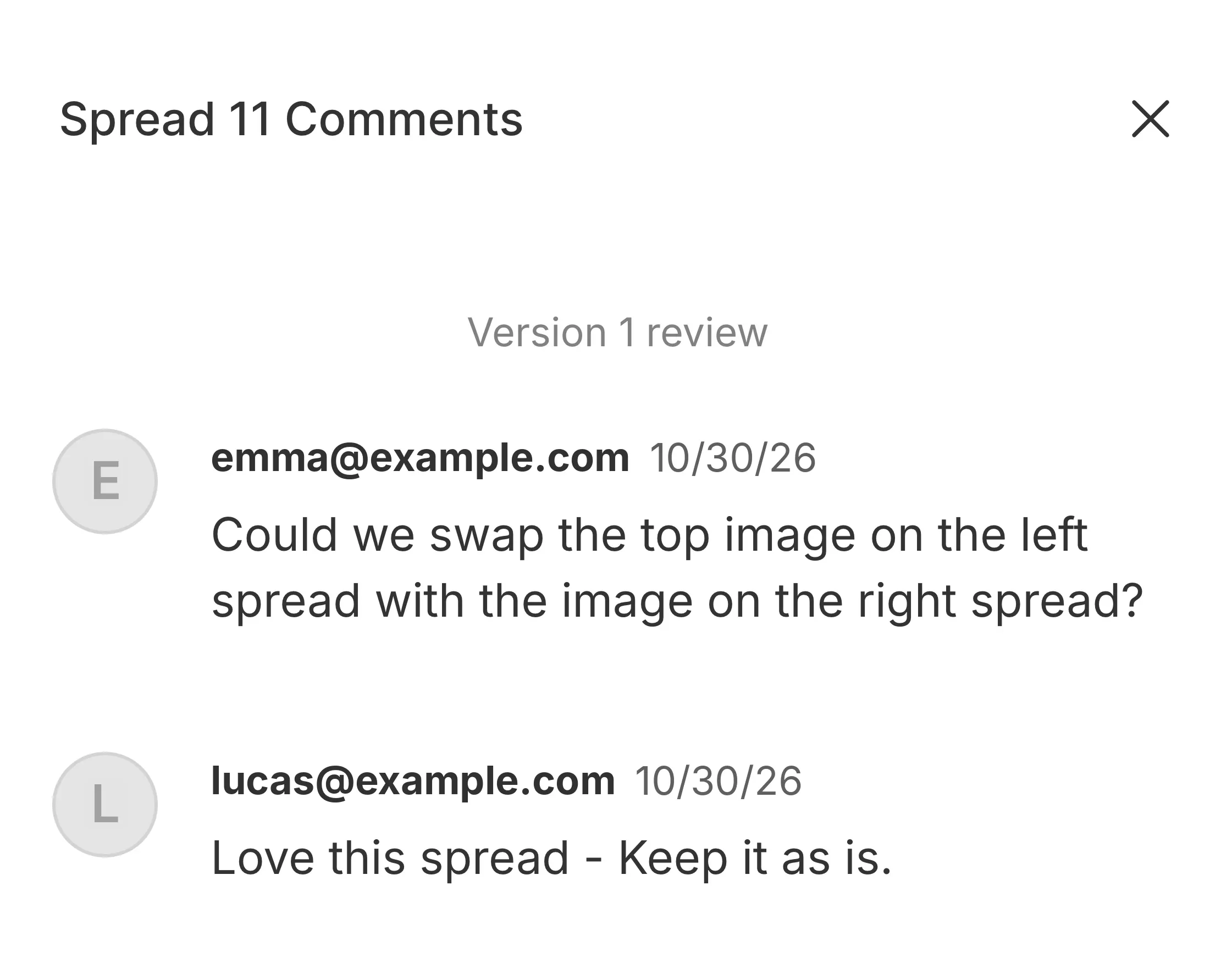
Clients leave a note right on the spread they mean. "Swap the top photo" stops being a guessing game. You know what to fix.
Approve or ask for changes
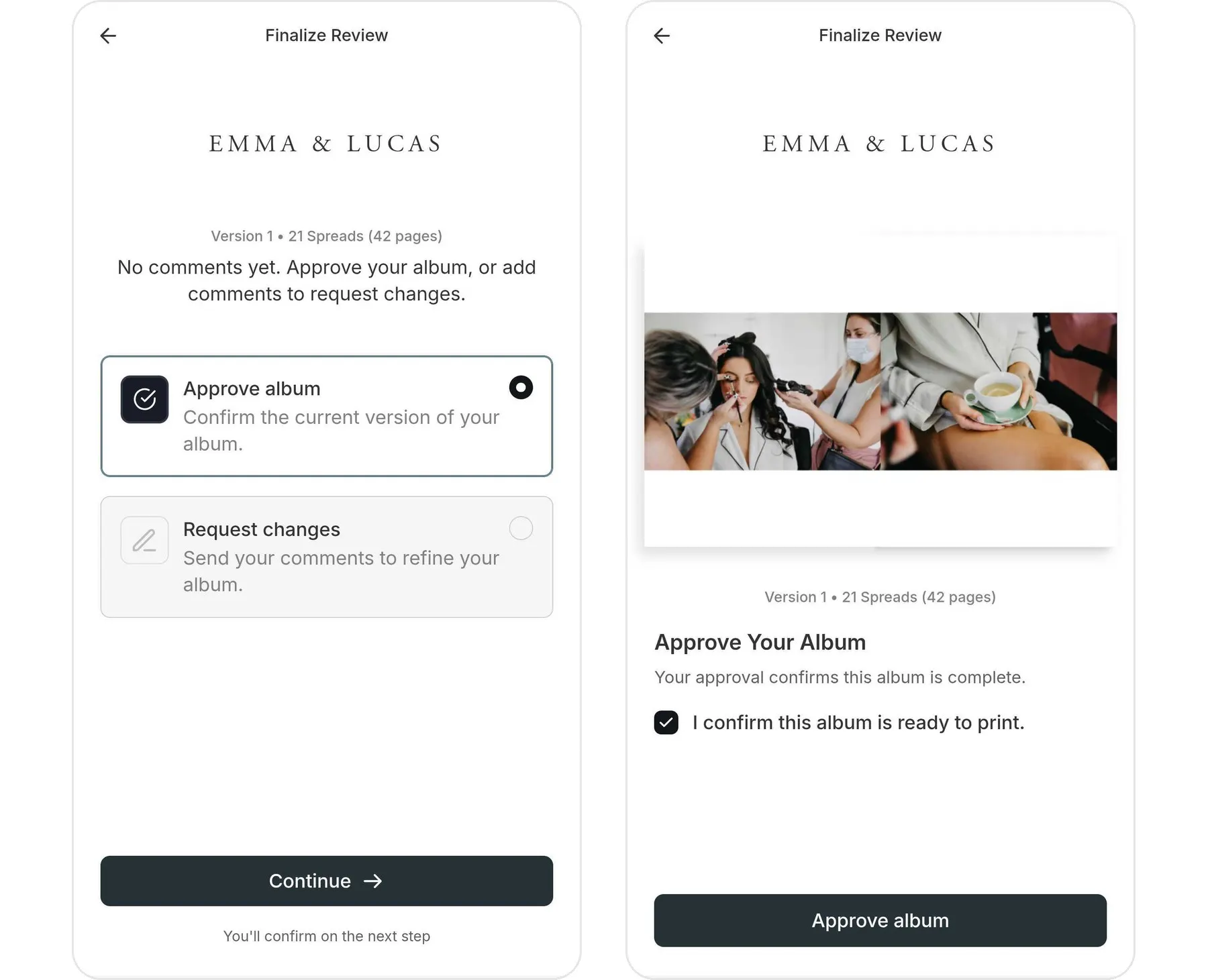
When the album feels right, your client taps Approve album and confirms it's ready to print. If not, they tap Request changes and tell you why. No more decoding "looks good, I think?" in your inbox.
What's not here yet
A few Cloud Proofing tools haven't made the move yet. The one you'll notice first: for now, you can't read client comments inside SmartAlbums. Until then, you'll find them in two places: the My Proofs dashboard in your SmartAlbums account, and the email we send you when a client requests changes to the album.
Launch day is the start, not the finish. Here's what we're adding next:
- Automatic email invites to clients, with templates you can save
- Watermarks and your logo on proofs
- Client management and guest email lists
- Archiving and deleting albums
- Image proofing numbers
- Client comments you can read inside SmartAlbums
- Rolling a spread or a whole album back to an earlier version
We'll share dates when they're real.
What does SmartAlbums Proofing cost?
It's included in all current SmartAlbums and All Apps Bundle plans. Design and proof as many albums as you like, without leaving SmartAlbums.
That's why Pay-Per-Album credits end on November 16, 2026. You won't need them. Until then, you can keep buying and using credits the way you do today.
On an older plan that doesn't include proofing? Open a project and click Proof. You'll see an option to upgrade right there. You can also upgrade anytime from your SmartAlbums account.
What happens to my Cloud Proofing albums?
Nothing breaks. Every album you've already uploaded stays in Cloud Proofing, and your clients' links keep working until November 16, 2027. You can keep adding revisions and collecting feedback and approvals on those albums at no extra cost.
From November 16, 2026, new projects use SmartAlbums Proofing. So does any older project you never uploaded to Cloud Proofing. Albums that already have Cloud Proofing data stay where they are. They don't move over.
Can't update to the latest SmartAlbums yet? If your plan includes proofing, you can still upload new albums to Cloud Proofing from your current version until November 16, 2027.
What do photographers ask about SmartAlbums Proofing?
Is SmartAlbums Proofing available now? Yes, for all SmartAlbums users, in beta. Update SmartAlbums to the latest version to get it.
Is it included in my plan? Yes, in all current SmartAlbums and All Apps Bundle plans. If you're on an older plan without proofing, you can upgrade from the Proofing dashboard or your SmartAlbums account.
Can my client approve the album on their phone? Yes. Clients can review, comment, and approve on a phone, a tablet, or a computer.
Can my client proof the album cover? Yes, when you work with an integrated lab. Your client sees the cover in 3D and can comment on it before it prints.
Can I still buy Pay-Per-Album credits? Until November 16, 2026. After that, proofing is part of your plan, so credits aren't needed.
Will my clients' Cloud Proofing links stop working? Not until Cloud Proofing shuts down on November 16, 2027. Until then, you can keep adding revisions to those albums.
Can I move a Cloud Proofing album to SmartAlbums Proofing? No. Albums with Cloud Proofing data stay in Cloud Proofing. New projects, and projects you never uploaded to Cloud Proofing, use SmartAlbums Proofing.
How do I start?
Update SmartAlbums to the latest version. Open your project and click Proof. Write a short welcome message, add a password if you want one, and send your client the link. Then wait for the yes.
Want the details first? Read Cloud Proofing Is Moving to SmartAlbums Proofing in our help center, or contact our support team.
New to SmartAlbums? Start your 14-day free trial. No credit card needed.


